








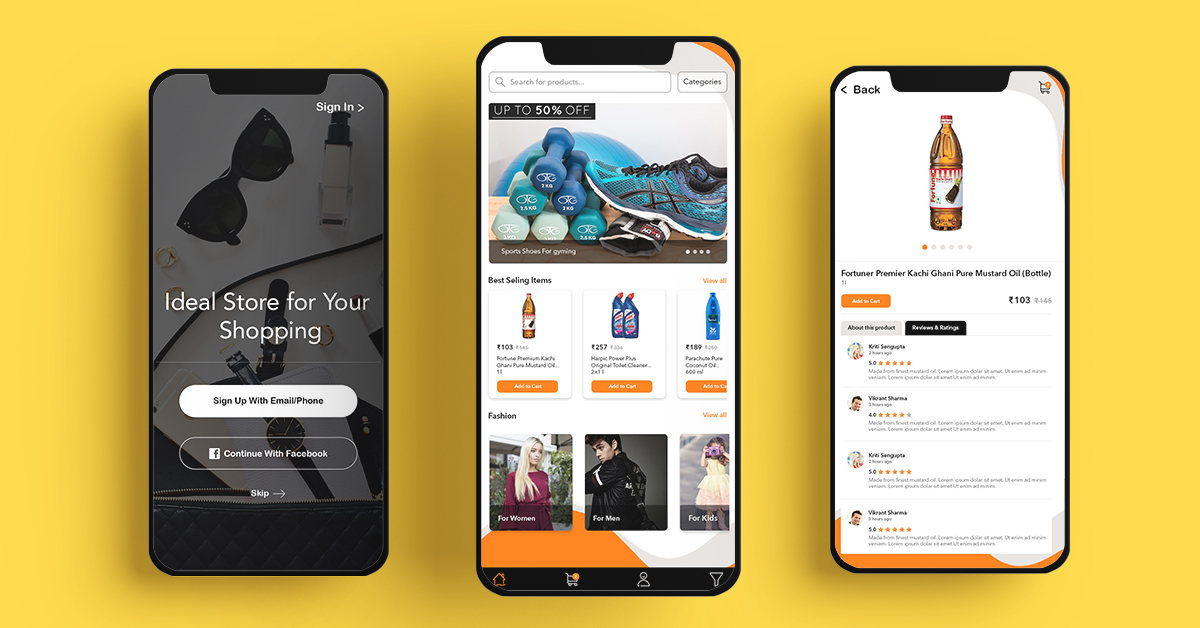
Specifically, Brilhante Supermercado is an easy-to-use platform that allows users to make direct purchases from either the Brilhante Esperança Supermarket or the Hiyab Comercio Warehouse.
With a few simple clicks on your smartphone or table, you can make your wholesale or retail purchases and relax in your comfort space while receiving notifications about the status of your order.
Take advantage of the exciting monthly and weekly promotions offered by the supermarket. In addition, enjoy seamless wholesale and retail shopping through the Brilhante Supermercado online supermarket app. As a result, you get convenience, savings, and a smarter shopping experience — all in one place.
Overview of the e-Commerce Sector in Angola
Although Angola has relatively high internet connectivity compared to other Sub-Saharan African nations, its cash-based economy and inefficient postal delivery infrastructure still limit the growth of e-commerce.
Market Trends Right Now
Most people access the internet via their mobile phones rather than their home computers; mobile broadband connectivity is accessible to just 16% of the population (2018 ITU).
eCommerce Across Borders
Shoppers most often purchase from major global retailers such as Amazon and eBay in the U.S. and Europe, and Alibaba in China, with international couriers handling deliveries.
Business-to-Business eCommerce
A small number of Angolan companies utilize B2B websites located in Europe or the United States, such as ebay.com and Amazon.com, with goods delivered to them in Angola by express courier.
Services for eCommerce
Angola has international transportation delivery providers such as FedEx, UPS, and DHL. delivery.
Intellectual Property Rights in eCommerce
Angolan intellectual property law does not cover eCommerce explicitly.
Payment through the internet
Due to a shortage of foreign currency availability to fulfill these payment obligations, international credit cards are rare and severely regulated by commercial banks. Visa and Mastercard are the most frequently-issued cards in Angola for individuals who have access. Paypal is being used by certain customers.
eCommerce on the go
Many businesses advertise themselves only on Facebook as a low-cost and easily accessible online presence, rather than creating and maintaining their website. Angola’s other prominent social media platforms with advertising possibilities include the news website Club K, Angonoticias, and Instagram.
Major Shopping Days
Because Angolan customers know the discounts offered from foreign eCommerce sites on this day, Black Friday is the most popular eCommerce shopping holiday in Angola.
The Internet of Things
With internet penetration exceeding 22.4% of the population, social media usage in Angola is steadily increasing. As a result, around 3.2 million individuals and businesses actively use Facebook for marketing and personal communication.
In fact, the nation has an estimated 3.2 million Facebook users.Consequently, many businesses rely solely on Facebook as a low-cost and easily accessible online presence, rather than investing in the creation and maintenance of a dedicated website.
Our Approach in Building the Brilhante Supermercado eCommerce Platform
Overview of the Proposed System
-
Actor 1
-
Actor 2
- Actor 3
-
SMS API
-
Login API
The Login Authentication API allows users to log in to the platform.
-
Payment gateway
-
Google Location API*
The Google location API is helpful for tagging and locating order locations.
Mobile app for customers (iOS and Android):
User Registration & Access
The app can be downloaded by users from the Google Play Store and Apple App Store. Once installed, new users can complete a quick and secure registration process. The registration features include:
-
- The user will also be able to look for goods without having to sign in.
- Please keep in mind that to place an order, the user must first join up or sign in.
- The user may also bypass the registration procedure and use the app as a guest.
Product Browsing & Search
- The app’s top page will include a product list.
- The user may also search for a product by selecting one of the various categories and sub-categories.
- The user may also look for the product by entering its name into the search box.
- Filtering: The user may filter the results based on their preferences.
Shopping & Cart
- Choose a product to buy and put it in your shopping basket.
Discounts, Coupons & Referral System
- During order placement, apply a discount OR/AND Referral points.
- By recommending the application to his friends, the client will earn a referral point.
-
-
- The referral points will be utilized to get a discount on your purchase. We will handle this markdown based on the admin’s commission from that transaction rather than the merchant’s goods cost.
Pricing & Delivery Calculation
- Specifically, The system determines the price based on the number of items purchased, the coupon applied, and the referral points earned.
- The distance and location of the delivery location will be used to determine delivery costs.
- The estimated time for product delivery will be shown to the client so that he is aware of it.
- Ultimately, The total amount will be the payment’s final amount.
-
Payment & Order Confirmation
-
- Once the payment has been completed, a “Thank you” message will appear on the screen.
- The client will get an email or SMS confirming the order.
Web Application for Customers
Functionality
The functionality of the Web app will be the same as described before. Vendor’s Dashboard:
Vendor’s Dashboard
The merchant will be sent to their dashboard (registration/Login) via the lMS-based website. During the registration procedure, provide the required information.
- Email address
- Store name
- Phone number
- Address/ Location
- Password
- Confirm password
Receive the verification email to your registered email address and contact number. Once the merchant submits the request, the system sends it to the administrator for verification. If the administrator approves, the merchant gains access to the platform.
Vendor Account Management
- Log in with a valid ID and password.
-
- The merchant may reset/forget your password.
- The merchant has control of the proof information (Email id password contact number address etc.)
Product & Inventory Management
- Organize the goods he intends to sell:
- Choose the categories he can sell in.
- Choose which sub-categories he may sell in.
- The Merchant will be able to handle various categories (Add/ Edit/ Delete/ Update) for each kind of goods.
- Under the category, he will list the goods he wishes to sell.
- Manage the specifics of each product, such as the product picture, short description, and pricing.
- Product information such as in-stock or out-of-stock status, product characteristics, and so on.
-
- Manage the payment information to receive payments from various users.
Orders, Payments & Reports
- The Merchant will be notified of the orders placed by the consumers.
- Obtain information on the payments received from various consumers.
- Manage the available supply for various product categories (also update of the product stock based on the ordered value of the customers)
-
- Report the income produced each day, week, month, and year.
Admin Panel:
Dashboard Overview
A web-based admin panel will be provided with secure login access. To begin with, the administrator can log in by entering a valid ID and password. Once logged in, the dashboard will display both static and graphical information on the following:
- New subscribers (daily/weekly/monthly)
- New merchants are added on a daily, weekly, and monthly basis.
- Orders placed (daily/weekly/monthly)
- Produced income (daily/weekly/monthly)
Platform Management
- Categories Manage
- Manage the goods under each Sub-category
- Users’ information manage the
- suppliers’ information Manage the
- Upload the products under various categories and sub-categories
Orders & Payments Control
- Order requests manage
- Manage the payments
- Delivery status manage
- Ordered goods description
- Received amount
Coupon & Discount Management
Control the coupon:
- Set the coupon code number.
- Select the total number of times the coupon code will be applied.
- % discount provided by applying that coupon code.
- Control the discounts on any product/subcategory/category.
CMS & Social Media
- Take care of the social media connections
- Oversee the lMS pages
ABOUT US & GET IN TOUCH